Upgrading an Old Analog CCTV System to IP Cameras (Without Ripping Everything Out)
· Erik Short
Quick answers
- Can I upgrade analog cameras to IP without rewiring the whole building? Often yes, Ethernet-over-coax adapters let you reuse existing coax runs to connect new IP cameras (some kits also carry power), though you lose a little bandwidth and reliability compared to new Cat6.
- Is it worth repairing an old DVR instead of replacing it? Almost never, DVRs in this age bracket are near the end of their hard drive life anyway, and they can't do much with modern IP cameras even if the recorder itself still boots.
- What resolution do I actually need for usable footage? For identifying faces you want at least 4MP at the right distance and lens angle, not the 2MP (1080p) that passed for "good" a decade ago. General overview cameras won't reliably read license plates; that takes a dedicated, properly aimed camera (see license plate cameras for business parking lots).
- What's the cheapest real upgrade path? Coax-to-IP adapters on existing cable, phased in door by door if budget is tight; new cabling only where coax runs are damaged or too long.
- How long does a typical upgrade take? A single-building conversion of 8-16 cameras is usually a one-to-two day install once the design and equipment are settled.
The system that quietly stopped protecting you
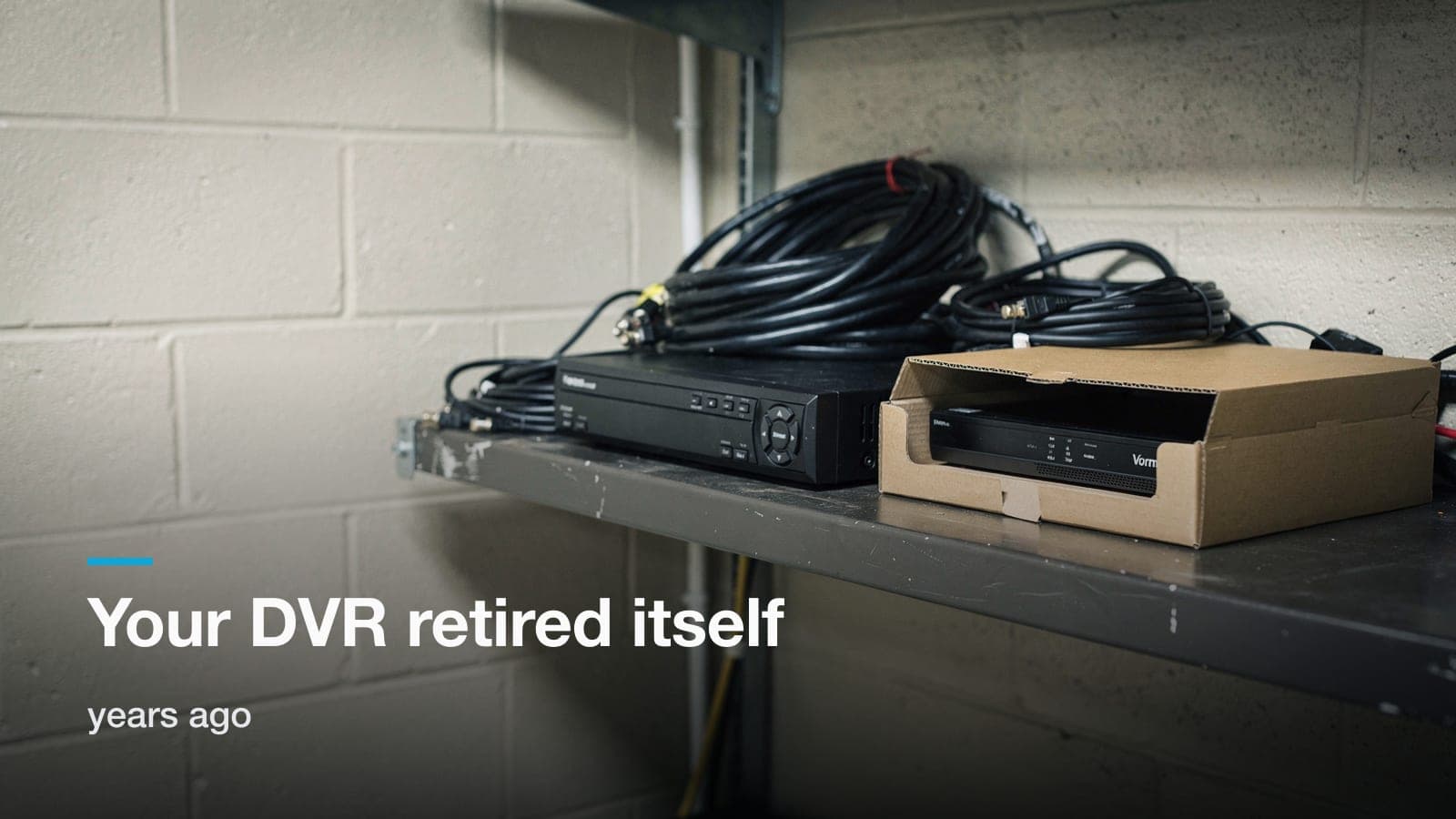
A lot of buildings in the Treasure Valley are still running the same CCTV system they had installed when the building went up, sometime around 2010-2014. Beige DVR in a closet or under a desk. RG59 coax snaking through the ceiling to six or eight cameras. Nobody's touched it since the installer left.
These systems don't fail all at once. They fail one piece at a time, quietly, until the day you actually need the footage and discover there isn't any, or there is, but it's a gray smear that could be anybody.
What goes first
The hard drive. Spinning disks in a DVR run 24/7 for years in a warm closet with no airflow plan. Three to five years is a realistic lifespan before you start seeing dropped channels, corrupted clips, or a recorder that just won't boot one Monday morning.
Channels going dark. Coax connectors corrode, especially anywhere near exterior walls or outdoor cameras. You lose a camera, nobody notices because nobody's watching live video, and it stays dark for a year.
Resolution that was never good enough. Most of these systems shipped with analog cameras maxing out around 2MP equivalent, or true analog at even less. That was acceptable in 2012. It is not acceptable now, when "we have cameras" needs to mean "we have footage a detective or an insurance adjuster can actually use." We've written before about the placement mistakes that make this worse. A camera mounted too high or angled wrong can make even a modern 4K sensor useless for identification.
Firmware and vendor support. A lot of these DVR brands have been acquired, discontinued, or simply stopped pushing updates. If the thing dies, you're not getting the exact replacement part. You're starting over anyway, just under worse time pressure.
What "usable footage" requires today
If the goal is footage that can actually identify a face or a specific action, not just confirm "someone was standing there", you need three things lined up:
- Enough resolution at the distance you're shooting. A 4MP or higher camera, correctly matched to its lens angle and mounting distance.
- Decent low-light performance. Most real incidents happen at night or in a dim stockroom, and old analog sensors fall apart below a few lux.
- Reliable, searchable storage. Being able to find the 90 seconds you need out of 30 days of footage, instead of scrubbing through hours of a clunky DVR interface.
Old coax-based analog systems typically fail on all three. Replacing just the recorder and leaving the cameras doesn't fix the resolution problem. Replacing just the cameras doesn't fix the recorder's limitations. This is why "upgrade" usually means the whole signal chain, camera to storage. But it doesn't have to mean tearing out every foot of cable in the building.
Three ways to actually do this
Path 1: Reuse the coax with Ethernet-over-coax adapters
If your existing coax runs are in good shape (no corrosion, no kinks, reasonable lengths) you can put a small adapter (often called a "coax-to-IP" or EoC adapter) at each end of the run. One end plugs into a modern PoE-capable IP camera, the other feeds back to a switch near your recorder. The existing cable carries the video and data, and some kits also carry power. Check the specific kit, because others need a separate power source at the camera.
When this makes sense: Buildings where pulling new cable means real demo; finished drywall ceilings, hard lids, tenant spaces you can't touch without a change order. If the coax is healthy and the runs aren't excessively long, this is a legitimate, cost-effective path to real IP cameras and real resolution without opening a single ceiling tile.
The tradeoff: You're adding adapters at both ends of every run, which is more hardware and more connections that can fail than a clean Cat6 pull. Bandwidth over EoC is also more limited than native Ethernet, which matters if you're running high-resolution cameras or a lot of them on one DVR's coax backbone. It's a good bridge, not the long-term ideal.
Path 2: Pull new Cat6 while the ceiling's already open
If you're already doing a remodel, a re-roof, a tenant improvement, or any work that opens up the ceiling, this is the moment to pull structured cabling instead of patching the old coax plan. New Cat6 runs give you full PoE power and bandwidth to every camera, no adapters, no legacy bottlenecks, and cabling that'll outlast two or three generations of camera hardware. We cover the cable-grade decision in more detail in Cat6 vs. Cat6a for new construction: Cat6 is fine for camera runs under 100 m. The Cat6a argument in that post is about new construction and future-proofing, so it matters more when you're wiring a whole building than when you're replacing a handful of cameras.
When this makes sense: Any time the ceiling is already open for other reasons. The marginal cost of pulling network cable during a remodel is a fraction of what it costs to come back later and do it as a standalone project. If you're a GC coordinating trades on a project like this, our rough-in checklist is written for exactly this handoff.
The tradeoff: If the ceiling isn't already open, demo and patching costs can make this path expensive for a straight camera swap. It's the right call when it piggybacks on other work, not necessarily as a standalone decision.
Path 3: Phase it door by door
Nobody says you have to do all 12 cameras on the same day. A common, budget-friendly approach: convert the highest-priority cameras first (front door, cash handling area, loading dock, parking lot) and leave the rest on the old system temporarily, migrating a few more each quarter or each year as budget allows.
When this makes sense: Tight budgets, or buildings where only a handful of positions actually matter for identification-grade footage, while the rest are lower-stakes general coverage.
The tradeoff: You're running two systems in parallel for a while (old DVR, new NVR or cloud platform) which means two interfaces until the migration's complete. It works, but plan the end date so "phased" doesn't quietly become "permanent."
When reusing coax is a false economy
There's a point where saving the cable costs you more than it saves. If your coax runs are old enough that insulation is cracking, if you've already got intermittent channels, or if the runs are long (past typical EoC adapter limits), you're paying for adapter hardware to prop up cable that's on its own borrowed time. In that case the adapter cost plus the service calls you'll eventually make on a marginal run add up to more than just pulling new Cat6 would have cost in the first place.
The other false economy: keeping the old DVR "for now" and only upgrading cameras. A DVR built for analog signal types generally can't ingest modern IP camera streams at their full resolution, if at all. So you end up buying 4MP cameras and recording them at a fraction of their actual quality. If the recorder's on its way out, replace it as part of the same project. For what drives the cost on a project like this, see our guide to commercial camera installation cost.
What we actually recommend on a site walk
Every one of these upgrades starts with pulling a camera down and looking at the actual cable behind it, not guessing from a spec sheet. We check coax condition, measure run lengths, look at what's already in the ceiling, and figure out which cameras are worth saving versus replacing outright. Most buildings this age end up as a mix: a few positions get new Cat6 because the ceiling's already open there, a few get EoC adapters because the wall's finished and the coax is solid, and the rest get phased in over the following year.
We build on UniFi Protect for most of these upgrades: owned hardware, no per-camera monthly subscription, one app for the whole system instead of the recorder-plus-separate-viewer setup most of these old DVRs force you into. It's not the only platform that fits every building, but for a straightforward commercial upgrade it's usually the one that gets a customer the most camera for the dollar with the least ongoing fee. You can read our comparison of UniFi Protect against subscription camera platforms if you want the longer version before you commit to a direction.
Frequently asked questions
Can I mix old analog cameras with new IP cameras on the same system?
Not directly on one recorder in most cases; analog and IP use different recording hardware. Some hybrid DVR/NVR units exist, but for a clean, maintainable system it's better to pick an IP platform and migrate cameras onto it as you replace them, even if that happens gradually.
Will my old camera mounting positions still work?
Usually yes for general coverage, but it's worth reevaluating each one. Mounting heights and angles that were "fine" for a wide analog view often aren't tight enough for identification-grade IP footage, especially at entrances and cash areas.
Does upgrading to IP cameras mean I need a bigger network?
Not necessarily a bigger network, but it does mean dedicated PoE switch capacity and enough bandwidth planning that cameras don't compete with office traffic. If you're adding more than a handful of cameras, it's worth reading about PoE budget planning before you buy switches.
How long should I expect to keep footage once I upgrade?
That depends on your industry and risk tolerance more than your hardware, but most commercial buildings land somewhere between 30 and 90 days. We break down the tradeoffs in how long businesses should keep camera footage.
What happens to the old DVR and cameras once we upgrade?
If any analog cameras are still in good shape, some can occasionally be repurposed for very low-priority coverage with the right adapter, but most buildings just retire the whole analog chain at once (the DVR, the coax ends, and the old cameras) since the IP cameras do the job better across the board.
If your DVR is older than your last three employees, schedule a site walk and we'll tell you honestly which upgrade path actually fits your building.