What Drives Commercial Camera Installation Cost in Boise
· Erik Short
Quick answers
- What does commercial security camera installation cost in Boise? It depends on camera count, ceiling type, cable runs, and whether your network can carry the load. Simple open-ceiling warehouses sit at the easy end; finished medical or retail suites and exterior work sit at the hard end. The only real number comes from a site walk and a fixed quote.
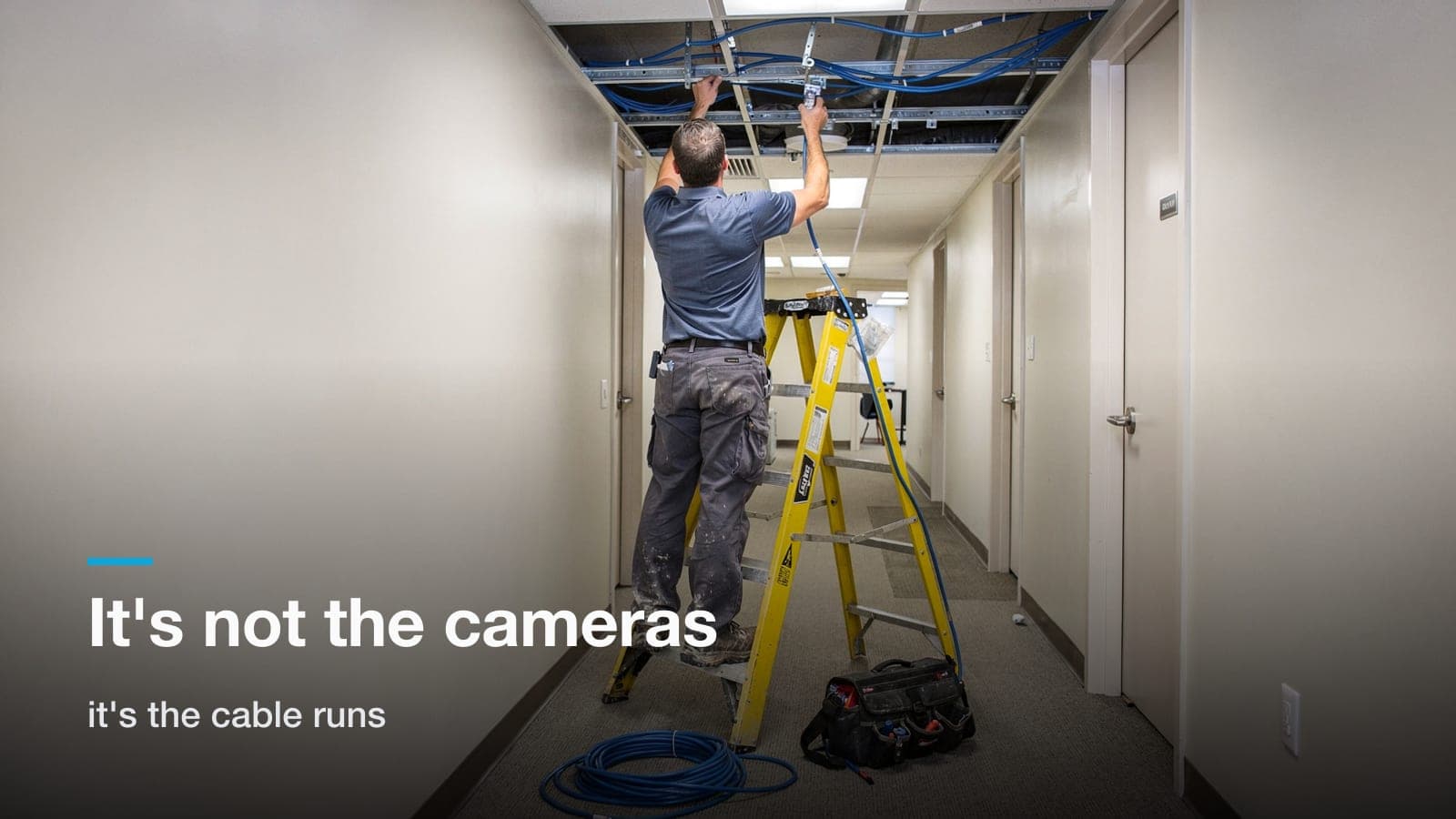
- What's the biggest cost driver? Not the cameras. It's the cable runs and the ceiling you have to work above, which is why two 12-camera jobs across town from each other can differ by thousands.
- What's the cheapest way to get a real system? Fewer, better-placed cameras on a recorder you own outright, rather than a lot of cheap cameras on a per-camera monthly license.
- Do I have to pay a monthly fee? No. Subscription platforms are legitimate and fit some buyers well, but ownership-model systems like UniFi Protect have no per-camera cloud license. You pay once for hardware.
- How long does a typical install take? An 8–16 camera job in an occupied building usually runs 2–5 days on site, plus a day of programming and walkthrough.
Everybody asks the price first, and most integrator websites dodge it. I get why. The honest answer is "it depends," and I won't put a number in a blog post that a site walk would change. What I can do is show you what moves the price up and down, what a quote should itemize, and where the money goes over five years depending on which platform you pick.
The short version: what drives cost by building type
| Building type | Relative effort | What drives cost up |
|---|---|---|
| Warehouse / tilt-up, open bar joist | Lower per camera | Lift rental at tall clear heights, very long runs |
| Office suite, drop ceiling | Moderate | Above-ceiling work, firestopping, more cameras for more small spaces |
| Retail strip / restaurant | Moderate to higher | Hard lids, tight IDF space, POS and register coverage |
| Medical / dental suite | Higher | Infection control, after-hours work, privacy-driven placement |
| Exterior / parking lot | Highest | Trenching, bollard or pole mounts, conduit, surge protection |
A quote for any of these should cover the camera, mount, Cat6 or Cat6a home run, PoE switch capacity, recorder and storage, configuration, and a walkthrough with your team. New network gear, electrical work, trenching, and lift rental are separate lines, and the quote should say whether they're in or out.
When people see a camera online for a few hundred dollars and can't figure out why the quote is higher, the gap is almost always labor and materials: the cable, the pathway, the time above the ceiling, and the commissioning. The camera itself is rarely the biggest line.
What actually moves the number
1. Camera count, and resisting the urge to inflate it
Camera count is the biggest line item, and it's also the one where people waste the most money. More cameras is not more security. Cameras aimed at the things that matter (doors, docks, registers, cash handling, server rooms, product staging, the parking lot) beats a ring of cameras staring at empty carpet.
I'd rather sell you eight cameras that produce usable evidence than sixteen that produce sixteen angles of nothing. If you're sizing a distribution or storage facility, I went through the coverage math in detail in how many cameras a warehouse actually needs. The logic transfers to most building types.
2. Camera grade: where the real spread lives
Within any product line there's a wide range:
- Basic fixed dome/turret, 2K–4MP: interior general coverage. Cheapest per unit, fine for most hallways and open offices.
- Higher-resolution, better low-light: anything covering an exterior door, a dock, or a dark parking area at night. Low-light performance is where cheap cameras fall apart, and night is when you need the footage.
- Wide/panoramic or dual-lens: one camera doing the work of two or three at an intersection of aisles. Costs more per unit, often cheaper per square foot of coverage.
- License plate and specialty: plate capture is its own discipline. Right lens, right angle, right distance, or it doesn't work. Budget accordingly, or skip it.
- PTZ: great for a large yard where someone is actively watching. Poor value as a recording camera, because it's only ever pointed one direction.
Don't buy the whole system at the top grade. Spend on the four or five views that will actually get pulled for an insurance claim or a police report, and use bread-and-butter cameras everywhere else.
3. Cable runs and ceiling type: the hidden half of the quote
This is where Treasure Valley building stock really shows up in the price.
Tilt-up warehouses (most of the industrial product off Franklin, Gowen, and out toward Nampa) are the friendliest buildings we work in. Open bar joist, exposed structure, straight shots for J-hooks. Runs are long, sometimes near the 100-meter limit, but they're fast. The catch is height: 28-foot clear means a scissor lift, and lift rental plus the time to reposition it is real money.
Finished office suites with a 2x4 grid ceiling look easy and usually aren't. You're pushing cable over ductwork, through fire-rated walls that need proper penetrations, and around whatever the last three tenants left up there. Every hard-lid soffit or drywall ceiling means a fish, a patch, and a painter.
Retail strips are the ones that surprise people. Older Garden City and Boise Bench strip buildings often have hard ceilings, minimal plenum space, demised walls that go slab to deck, and an "IDF" that's a shelf in the back room. A twelve-camera retail job can take twice the labor of a twelve-camera warehouse job.
Medical suites add scheduling. You're working nights and weekends around patients, and you're keeping dust out of clinical spaces. That's not a markup for the sake of it. It's real off-hours labor.
Exterior and parking is the biggest jump. If a camera lives on a pole or a bollard across a lot, you need a path: existing conduit if you're lucky, trenching or boring if you're not, and Boise's frost depth and hardpan don't make that cheap. Surge protection at both ends isn't optional out there either. One lightning-adjacent surge through an ungrounded exterior run can take out a switch port and a camera.
4. Recording and storage
Two decisions here: where it lives and how long you keep it.
Retention is a math problem: cameras × resolution × frame rate × days. Thirty days is the common ask for commercial buildings; some medical and other regulated operations have longer requirements, so check with your regulator or insurer. Doubling retention roughly doubles the drive spend, and drives are the part of the system most likely to need service in year four.
Buy surveillance-rated drives, not desktop drives. Buy one more bay than you need today. And put the recorder somewhere with airflow and a lock, Recorders in unventilated closets cook themselves in a Boise August.
5. Whether your network can carry it
This is the line item nobody budgets for and half the buildings need.
Cameras are network devices. They need PoE ports, switch capacity, sane VLAN separation from your business traffic, and a UPS so the whole thing doesn't drop every time the power blinks. If your building has an unmanaged switch under someone's desk and a coax cable stapled to a joist from a 2011 install, that's part of the camera project whether the quote calls it that or not.
Sometimes the answer is a small PoE switch and a UPS in a new wall-mount rack. Sometimes it's a full structured cabling and network refresh, which is its own number. Either way, you want it identified before you sign, not discovered in week two.
Ownership vs. subscription over five years
Here's the fork in the road for most buyers.
| Ownership model (e.g. UniFi Protect) | Subscription model (cloud platforms) | |
|---|---|---|
| Upfront cost | Higher: hardware and recorder included | Often lower per camera |
| Ongoing cost | None per camera; occasional drive/hardware replacement | Per-camera monthly or annual license |
| Footage lives | On a recorder you own, on your premises | In the vendor's cloud, per their plan |
| If you stop paying | System keeps recording | Camera typically stops functioning as a cloud device |
| Cameras | Must stay within the ecosystem | Must stay within the ecosystem |
| Best fit | Single site or a few sites, in-house facilities help, capital budget | Many sites, no IT staff, operating-expense budget, centralized security team |
Run the five-year picture on any subscription quote you get. Take the monthly per-camera license, multiply by camera count, multiply by 60 months, and add it to the hardware. On a larger system, that arithmetic can add up to more than the capital cost of an owned system, and at the end of it you still don't own the hardware outright.
That said, subscription platforms earn their money for some buyers. If you run fifteen locations across three states with no IT staff, a cloud platform that pushes firmware, handles remote access, and gives a corporate security manager one pane of glass is worth paying for. Verkada, Rhombus, Avigilon, and Axis all build genuinely good products, and there are buildings where I'd tell you to go that direction. If your risk profile demands features a mid-market platform doesn't have, buy the platform that has them.
But for a single Boise office, a Meridian warehouse, a Nampa retail building, or a medical suite with one facilities person? Ownership almost always wins on total cost, and the day-to-day experience of pulling a clip is basically the same. That's the camera system approach we lead with. One ecosystem, one app, no per-camera cloud bill, hardware that's yours on day one.
What a real quote should include
If a bid doesn't spell these out, you can't compare it to anything:
- Camera count, model, and location: a floor plan or a marked-up site map, not "12 cameras."
- Field of view intent per camera: what each one is supposed to see and why.
- Cable type and pathway: Cat6 vs Cat6a, plenum where required, J-hook vs conduit.
- Recorder model and configured retention: in days, at a stated resolution and frame rate.
- Network scope: switches, PoE budget, VLAN, UPS. Or explicit note that it's using existing gear, and which gear.
- Labor assumptions: normal hours or after hours, lift needed or not, ceiling type.
- What's excluded: electrical, trenching, patch and paint, permits.
- Warranty and service terms: who comes back in year three when a drive fails, and what that costs.
- A fixed price, not a time-and-materials estimate with a range.
The last one matters most. Every project we do starts with a walk of the actual building and ends with a fixed quote, because "we'll see what we run into" is how a quote grows mid-job.
Where people waste money
- Buying camera count instead of camera placement. Sixteen mediocre views cost more than nine good ones and answer fewer questions.
- Skipping the network. A great camera system on a bad network is a bad camera system.
- Under-buying on the four views that matter. The back door at 11pm. The dock. The register. The IT closet. Those get the good cameras.
- Ignoring exterior lighting. A decent wall pack sometimes buys you more usable footage than a more expensive camera.
- Not testing retrieval. Have someone on your staff actually pull and export a clip during the walkthrough. If they can't do it in five minutes, the system isn't finished.
- Cheap cable. CCA (copper-clad aluminum) cable is the single worst false economy in this trade. It fails PoE at distance and you'll re-pull it.
Budgeting without a number
If you have to plan before anyone walks your building, think in terms of what pushes a project toward the high end:
- Small office or retail, drop ceiling, decent existing network: usually the most predictable. The main variable is how many cameras you actually need.
- Warehouse or light industrial, open ceiling, some exterior: long runs and lift time dominate. Exterior pathway can outweigh everything inside.
- Multi-suite medical or professional building, after-hours work, new switching: scheduling and network scope push it up.
- Exterior parking coverage that needs new pathway: driven almost entirely by trenching and conduit.
The walk is what turns those into a real price, and sometimes the walk finds a reason the number goes down, like usable existing conduit or a ceiling that's more open than you thought.
Frequently asked questions
Can I reuse the cameras or cable from the old system in my building?
Sometimes the cable, rarely the cameras. If the previous system was analog on coax, the cameras won't work with an IP recorder, but the coax pathway is often reusable for pulling new Cat6. If it was an IP system, we test the existing runs; good Cat5e will often carry a modern PoE camera at a reasonable distance, and reusing runs is a real savings.
How long should a commercial camera system last?
Plan on 7–10 years for cameras and switches, 3–5 years for hard drives, and firmware support as the wildcard. Budget drive replacement as a maintenance item, not a surprise.
Do I need a permit or license for camera work in Boise?
Some cities require a permit and inspection depending on scope. Ask any bidder directly who's pulling the permit, if they get vague, that's your answer.
Is it cheaper to install cameras during construction than after?
Considerably. Pre-drywall cabling in a new build or tenant improvement can cut installation labor for cabling substantially versus fishing a finished space. If you're doing a TI in the next year, get the low-voltage design in the drawing set now, even if you install cameras later. The conduit and back boxes are cheap while the walls are open.
What about cameras plus door entry? Should those be one project?
They're usually planned together and often share pathway and switch capacity, which saves money. We do both: cameras and door access as one project, one network, one contractor.
If you want a real number, ask for a site walk; we'll walk your building, mark up a plan, and hand you a fixed quote.