Connecting Two Buildings: Fiber, Copper, or a Wireless Bridge?
· Erik Short
Quick answers
- How far can I run Ethernet between buildings? Copper Ethernet is rated to 100 meters (328 feet) total, including patch cords — but distance isn't the real problem between separate structures; grounding is.
- Why shouldn't I run copper between two buildings? Two buildings sitting on two different grounding systems can develop a voltage difference, and a copper cable between them becomes the path that equalizes it — often during a storm, usually by killing switches on both ends.
- When is fiber the right answer? Any time a trench is already open, the run is over ~250 feet, you need full gigabit or more, or you can't get clean line of sight.
- When does a point-to-point wireless bridge make sense? When trenching is expensive or impossible, you have clear line of sight, and a few hundred megabits is plenty for cameras, Wi-Fi, and door controllers.
- What does fiber between buildings actually involve? Outdoor-rated or direct-burial fiber in conduit, a hand-dug or trenched path, terminations or pre-terminated ends, and either SFP ports in your switches or a pair of media converters.
The shop-across-the-yard problem
It's one of the most common calls we get in the Treasure Valley. An office or a front counter building has decent network and Wi-Fi. Out back, across a gravel yard, there's a metal shop, a warehouse, a fab building, a detached garage bay, or a storage outbuilding. And now somebody needs something out there:
- Cameras covering the yard and the roll-up doors
- Wi-Fi so the shop guys can pull up drawings on a tablet
- A card reader on the shop man-door
- A PC, a printer, a time clock, a label printer
- A TV in the break area running a production dashboard
Right now the shop might be running on a consumer router with a cellular hotspot, or a Wi-Fi extender aimed hopefully out a window, or nothing at all. Somebody has probably suggested "just run a cable out there." That suggestion is where this article starts.
The three real options, side by side
| Copper (Cat6/Cat6a) | Outdoor fiber | Point-to-point wireless | |
|---|---|---|---|
| Practical distance | Under 100 m total, same structure only | 300 m to miles | 100 ft to several miles |
| Between separate buildings? | Not recommended | Yes — ideal | Yes |
| Lightning / ground risk | High | None (glass doesn't conduct) | Low (still bond and surge-protect the radios) |
| Needs a trench | Yes | Yes | No |
| Needs line of sight | No | No | Yes, and it must stay clear |
| Typical throughput | 1–10 Gbps | 1–10 Gbps, easily | Roughly 100–900 Mbps real world |
| Weather sensitivity | None once buried | None once buried | Heavy snow, rain, wind on the mount |
| Cost driver | Trenching | Trenching | Labor + mounting, no dirt work |
| Best when | Never, building to building | The dirt is already open | Digging is expensive or impossible |
Why copper between buildings is a bad idea (it isn't the distance)
Everybody knows the 100-meter rule. Cat6 and Cat6a are specified for 100 meters of total channel length — that's 90 meters of solid horizontal cable plus 10 meters of patch cords on both ends. Go past that and you start dropping to 100 Mbps, or getting a link that negotiates at gigabit and then quietly retransmits half its packets. PoE gets worse before the data does: voltage drop over a long run means a camera at 320 feet may boot, run fine on a mild day, and then brown out when the IR illuminator kicks on at night.
But plenty of building-to-building runs are well under 100 meters. The shop is 120 feet away. You could absolutely make that cable work, electrically speaking. Here's why we still won't do it.
Two buildings, two ground references. Each structure has its own service entrance and its own grounding electrode system. Under normal conditions those two grounds sit at close to the same potential. Under abnormal conditions — a nearby lightning strike, a utility fault, a big motor load starting in the shop, a bad neutral — they don't. The difference can be tens or hundreds of volts.
A shielded copper cable between the two buildings gives that difference a nice low-resistance path to travel. Even unshielded Cat6 will couple enough energy through the transformers in the Ethernet ports to destroy them. What we see when we get called out afterward is consistent: a dead switch port on each end, sometimes a whole switch, sometimes the camera and the NVR and the switch. The cable itself usually looks fine.
You don't need a direct hit. A strike a quarter mile away into a field or a power pole is plenty. And out here, where a lot of shops are metal buildings sitting on gravel with their own panel fed from the main building, the conditions are exactly the ones that bite.
Yes, there are ways to do copper between structures more safely — bonded shielded cable, properly grounded, with listed Ethernet surge protectors at both ends, entering near the ground bar. The NEC has requirements around this. It can be done. But by the time you've bought two surge protectors and done the bonding right, you've spent most of the difference toward fiber, which sidesteps the entire problem because glass doesn't conduct electricity. That's the whole pitch: fiber is electrically invisible between your two buildings.
Option 1: Fiber between buildings
Fiber is the right answer more often than people expect, and it's less exotic than it sounds.
What goes in the ground
- Cable type. Outdoor-rated, water-blocked, usually armored or direct-burial rated if it's going in dirt without conduit. For nearly every commercial building-to-building run we spec single-mode fiber, even at 150 feet. Multimode costs about the same in small counts, single-mode has essentially no distance limit and the optics are cheap now. Don't paint yourself into a corner over a few dollars.
- Strand count. Never pull two strands. Pull six or twelve. The incremental cost of the cable is small and the cost of re-trenching is enormous. You will want a second link someday — a redundant path, an isolated camera network, a future building.
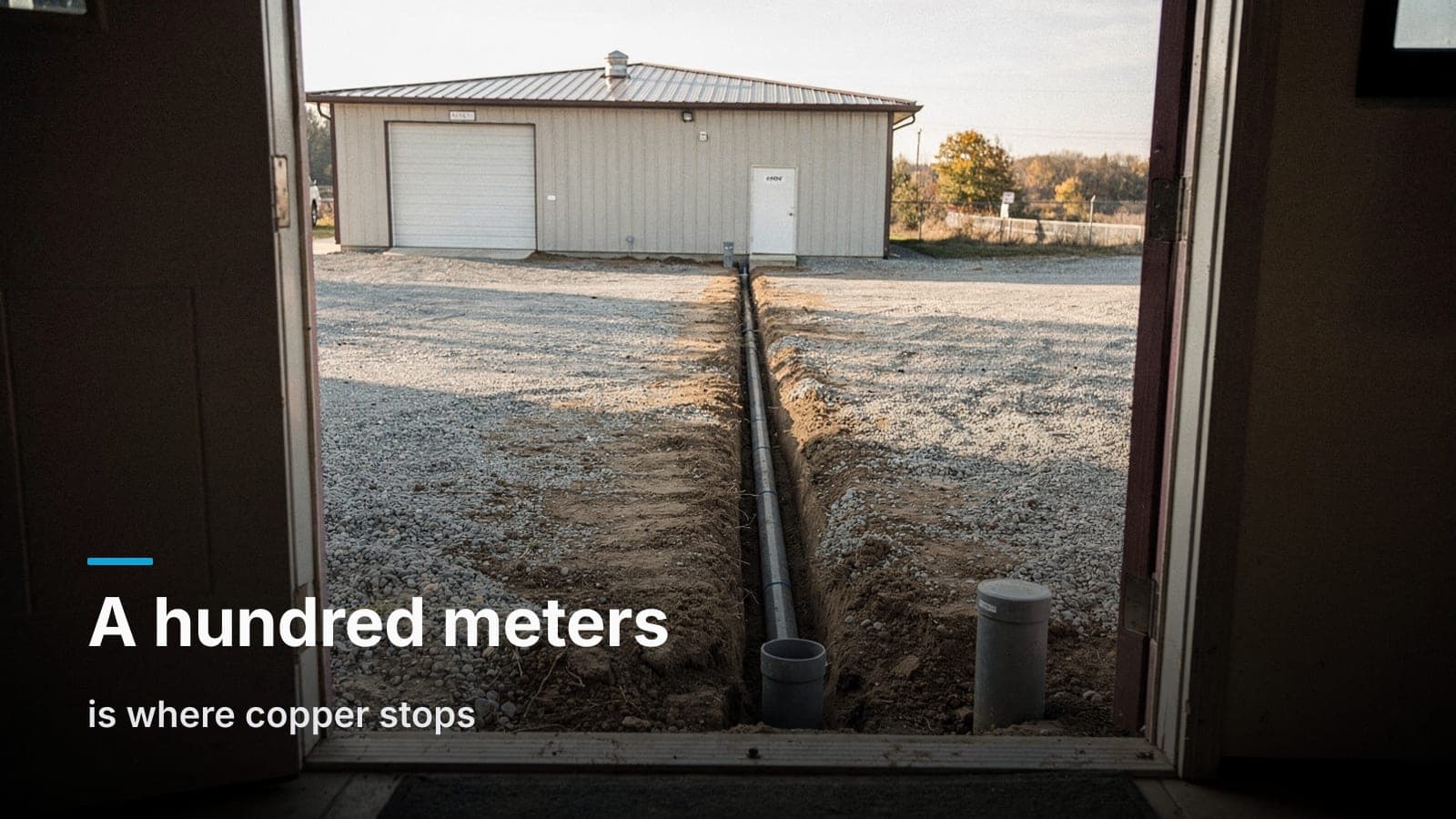
- Conduit. We want fiber in conduit. Gray PVC, minimum 1", with a pull string left in it and sweeps instead of hard 90s at each end. Direct-burial fiber without conduit works, but conduit is what lets you replace or add a cable in ten years without renting a trencher again.
- Depth and path. Follow local code and the AHJ. Mark the path, and put in warning tape above the conduit. Someone will dig in that yard again — a landscaper, a plumber, a striping crew — and the tape is the only thing that will stop them.
- Locates. Call 811 before anything goes in the ground, every time, including on private property. Gas lines and irrigation mains hide in Treasure Valley yards.
What goes on the ends
You have two clean choices:
- SFP ports in your switches. Most business-class switches — including the UniFi line we work with most — have SFP or SFP+ cages. Drop a matched pair of transceivers in, land the fiber, done. No extra boxes, no extra power supplies, one less thing to fail.
- Media converters. A small box on each end that turns fiber into a copper Ethernet port. Fine, cheap, works. But each one is another wall wart and another failure point in an unheated shop.
We'll take SFP in the switch every time it's available.
For termination, you can fusion splice on-site with pigtails into a small wall-mount enclosure, or you can order pre-terminated fiber with connectors already installed and pull it through the conduit with a pulling eye. Pre-terminated is great when the conduit path is clean and the length is known. Fusion splicing costs a little more in labor but gives you a tidy enclosure with bulkheads, which is what you want for a link you'll add to later.
Roughly what it involves, cost-wise
The fiber, the transceivers, and the terminations are usually the cheap part. Trenching is the expensive part, and it varies wildly: soft dirt across an open yard is a different job than cutting and patching a concrete apron or boring under a paved drive. That's why the single best moment to run fiber is when the ground is already open — during site work on new construction, during a parking lot rebuild, during a utility repair. If a GC calls us while the trencher is still on site, fiber between buildings becomes almost an afterthought. Getting ahead of that is half of what's on our low-voltage rough-in checklist for GCs.
Option 2: Point-to-point wireless bridge
A point-to-point wireless bridge is a pair of small directional radios — one bolted to each building, aimed at each other — that creates a transparent link. Traffic goes in one end and comes out the other. Ubiquiti's UniFi Building Bridge and the airMAX line are the workhorses in this category for business sites, and they're inexpensive relative to a trench.
Sometimes a bridge isn't the compromise — it's the obviously correct answer:
- There's a paved drive, a railroad easement, a leased parcel line, or a neighbor's property between the buildings.
- You're a tenant and you can't trench the landlord's lot.
- The distance is long enough that trenching gets genuinely expensive.
- You need the link working next week, not next quarter.
What makes a bridge work
Line of sight, honestly assessed. Both radios have to see each other, and not just barely. You want clear sight through the middle of the path — the "Fresnel zone" — which means a tree canopy, a parked semi trailer, or a roofline that clips the path can cut throughput hard even if you can technically see the other antenna. Mount height matters more than power.
Solid mounting. A radio on a flimsy mast is a radio that drifts out of alignment in the first February wind. Non-penetrating roof mounts, wall brackets into structure, or a short mast with guys. We check alignment and signal after the fact, not just at install.
Grounding and surge protection. The fiber advantage disappears if you're careless here — you're putting a powered device up high outdoors and running PoE to it. Bond the mount, use an Ethernet surge protector where the cable enters the building, and keep the entry near the ground bar.
Realistic expectations on throughput. A good short-range bridge with clean line of sight will deliver a few hundred megabits, sometimes more. That is plenty for a dozen cameras, a couple of Wi-Fi access points, a door controller, and normal office traffic. It is not the same as a gigabit wire, and it never will be.
Where bridges disappoint people
- Weather. Hard rain and heavy wet snow attenuate the higher frequency bands. Most sites see a brief dip, not an outage, but if the link is running near its margin already, storms will find it.
- Interference. In dense areas with a lot of 5 GHz noise, a bridge can be less predictable. Site-specific.
- Trees grow. The path that was clear in March is obstructed in July. We've re-aimed more than one link over a new row of poplars.
- Uplink to lots of cameras. If the detached building has ten 4K cameras all recording continuously to an NVR in the main building, do the math on bitrate before you commit. Often the better design is to put a small recorder or local storage in the outbuilding and only send live views and clips across the bridge. Where the video actually lives is worth thinking through — we broke that down in NVR vs. cloud storage.
The decision guide
Work down this list and stop at the first one that fits.
-
Is a trench already open, or about to be? Run fiber. Don't even price the alternatives. This is the cheapest fiber will ever be on your property, and a conduit with a pull string is a gift to your future self.
-
Is the total run under 100 meters and both ends are inside the same structure? Then it's just copper, and the conversation is Cat6 vs. Cat6a, not this article. "Same structure" means one building, one grounding system — a connected breezeway usually counts, a separate shop does not.
-
Do you own the ground between the buildings and is it diggable? Fiber in conduit is the durable answer. Plan for it in the next site work cycle if you can't do it now.
-
Can't dig, or digging means cutting concrete or boring under asphalt? Price both. A wireless bridge often comes in at a fraction of the trench cost, and it's a perfectly professional permanent solution — not a band-aid.
-
Do you have clear, permanent line of sight? If yes, bridge. If you're squinting at a tree line and saying "mostly," get someone on a ladder with a laser before you buy radios.
-
No line of sight and no way to dig? Now you're into relays (a third mount point that sees both), leased fiber from a carrier, or a separate business internet circuit at the outbuilding with a site-to-site VPN. All are viable; all deserve a real conversation, because each has ongoing cost.
-
Is this link carrying something you can't lose? Access control, life-safety adjacent systems, a POS at the second building. Then consider both: fiber as primary, bridge as automatic failover. Two paths, no single point of failure. It's cheaper than it sounds once the fiber is in.
A note on what runs across that link
Whatever path you choose, treat the outbuilding like part of the same network, not a separate island. That means:
- One managed switch in the shop, in a small wall-mount rack or enclosure, not a desktop switch on a shelf collecting metal shavings.
- PoE budget planned for cameras, access points, and door controllers out there — with a little headroom.
- VLANs carried across, so cameras stay on the camera network and guest Wi-Fi stays isolated, exactly like in the main building.
- Power and environment considered. Unheated metal shops swing from 10°F to 110°F. Put electronics in an enclosure, off the exterior wall, and don't hang a plastic switch in direct sun through a skylight.
- Door hardware on the far side needs a reliable link if you're using a networked controller. Most modern access control fails safe locally if the link drops, but you lose logging and remote unlock while it's down. Worth knowing before you promise the office manager remote unlock on the shop door — there's more on that tradeoff in our piece on access control vs. keys.
How we handle it
At Ridgeline, a two-building job always starts with a site walk, because this decision can't be made from a satellite photo. We want to see where the panels are, where the path would run, what's between the buildings at eye level, how the shop is powered, and where the gear can live on both ends. Then you get one fixed quote covering the link and whatever it's feeding — cameras, access points, readers — instead of three vendors pointing at each other when the shop goes offline.
We build on UniFi across our cabling and networking and camera work, which means the bridge, the switches, the access points, and the cameras all show up in the same app with the same login. That's genuinely useful when the thing you're troubleshooting is 200 feet away in a building nobody's in on a Saturday. Other platforms fit some buildings better — if you already own a fleet of Axis cameras or you're standardized on a cloud-managed platform across multiple sites, we'll work with that and we'll tell you when it's the better call.
Frequently asked questions
Can I just run fiber and skip the conduit to save money?
You can, if you use direct-burial rated armored fiber and bury it at proper depth with warning tape. It works and we've installed it that way. But conduit is the cheap insurance — it protects against rodents and future shovels, and it means the next cable pull doesn't require a trencher.
Do I need a licensed electrician for this?
For the low-voltage cable itself, no — that's our work. If the outbuilding needs new power, a subpanel, or bonding changes to support it, yes, and we coordinate with your electrician. On the bonding and grounding side, the electrician's input is worth having regardless.
What about a cellular modem at the second building instead?
It's a legitimate option, especially for a small outbuilding with light needs, and it's fast to deploy. The downsides are monthly cost forever, higher latency, data caps that cameras will blow through, and the fact that it's a separate network — you'll need a VPN to make devices on it reachable from the main building.
How long does a fiber run between buildings take to install?
If the path is open dirt and reasonably short, it's often a one- to two-day job including terminations and testing. Concrete cutting, boring under a drive, or coordinating with a paving contractor stretches the schedule out, and that's usually what drives the timeline, not the cable work.
Will a wireless bridge slow down my cameras?
Not if it's sized right. The thing to check is total camera bitrate at the far building versus the bridge's real-world throughput — and remember the bridge also carries Wi-Fi traffic and everything else from that building. If the numbers are tight, keeping recording local at the outbuilding solves it.
Can one bridge serve three buildings?
Not directly — a point-to-point link is two radios talking to each other. For multiple buildings you either run separate point-to-point pairs from a central mount, or use a point-to-multipoint setup with a sector antenna at the hub. Point-to-multipoint shares bandwidth among all the remote sites, so it's a design decision, not just more hardware.
If you've got a shop, warehouse, or outbuilding that needs to be on the network, request a site walk — we'll look at the path, tell you honestly whether it's a fiber job or a bridge job, and quote it fixed.