NVR vs. Cloud Storage for Business Cameras: Where Should Your Video Live?
· Erik Short
Quick answers
What's the difference between an NVR and cloud camera storage? An NVR records video to hard drives on site over your own network, while cloud storage uploads every camera's footage to a provider's data center over your internet connection, usually for a monthly per-camera fee.
Which is cheaper for a business? Local NVR is almost always cheaper over three to five years because you pay once for hardware; cloud is cheaper on day one and predictable forever after, which some buyers prefer.
How much internet upload do cloud cameras need? Plan on roughly 2–4 Mbps of sustained upload per 4MP camera at full-time recording; 16 cameras can eat 30–60 Mbps of upload, all day, every day.
How many days of video should I keep? Thirty days covers most commercial situations; some insurance policies, regulated industries, and healthcare or school policies specify longer, so check your own video retention requirements before sizing drives.
Can I do both? Yes. The common hybrid is full retention locally on an NVR plus cloud copies of a handful of critical views (register, safe, main entry, server room), which is the cheapest way to survive a theft or fire.
I get asked about cameras constantly. I get asked about storage almost never, until something happens and someone asks me to pull footage from six weeks ago, and I have to tell them the recorder already overwrote it.
Storage is where camera systems quietly succeed or fail. The lens choice matters, the mounting height matters (a lot), but none of it matters if the clip you need is gone. So here's how I actually think about where video lives, with the math I run on site walks.
The short comparison
| Local NVR | Cloud storage | Hybrid | |
|---|---|---|---|
| Up-front cost | Higher (recorder + drives) | Lower | Middle |
| Ongoing cost | Drive replacement every few years | Per-camera subscription, forever | Small subscription on a few cameras |
| Internet upload used | Near zero for recording | Continuous, scales with cameras | Low, only the critical views |
| Retention control | You size it; change anytime | Whatever tier you buy | Long local, short cloud |
| Survives theft/fire on site | No, unless recorder is hidden/secured | Yes | Yes, for the cameras you chose |
| Remote viewing | Yes, with proper setup | Yes, built in | Yes |
| Who owns the footage | You | You, per the provider's terms | You |
| Multi-site rollup | Doable, more setup | Usually the strong suit | Depends |
Everything below is the detail that decides which column you land in.
What a local NVR actually gives you
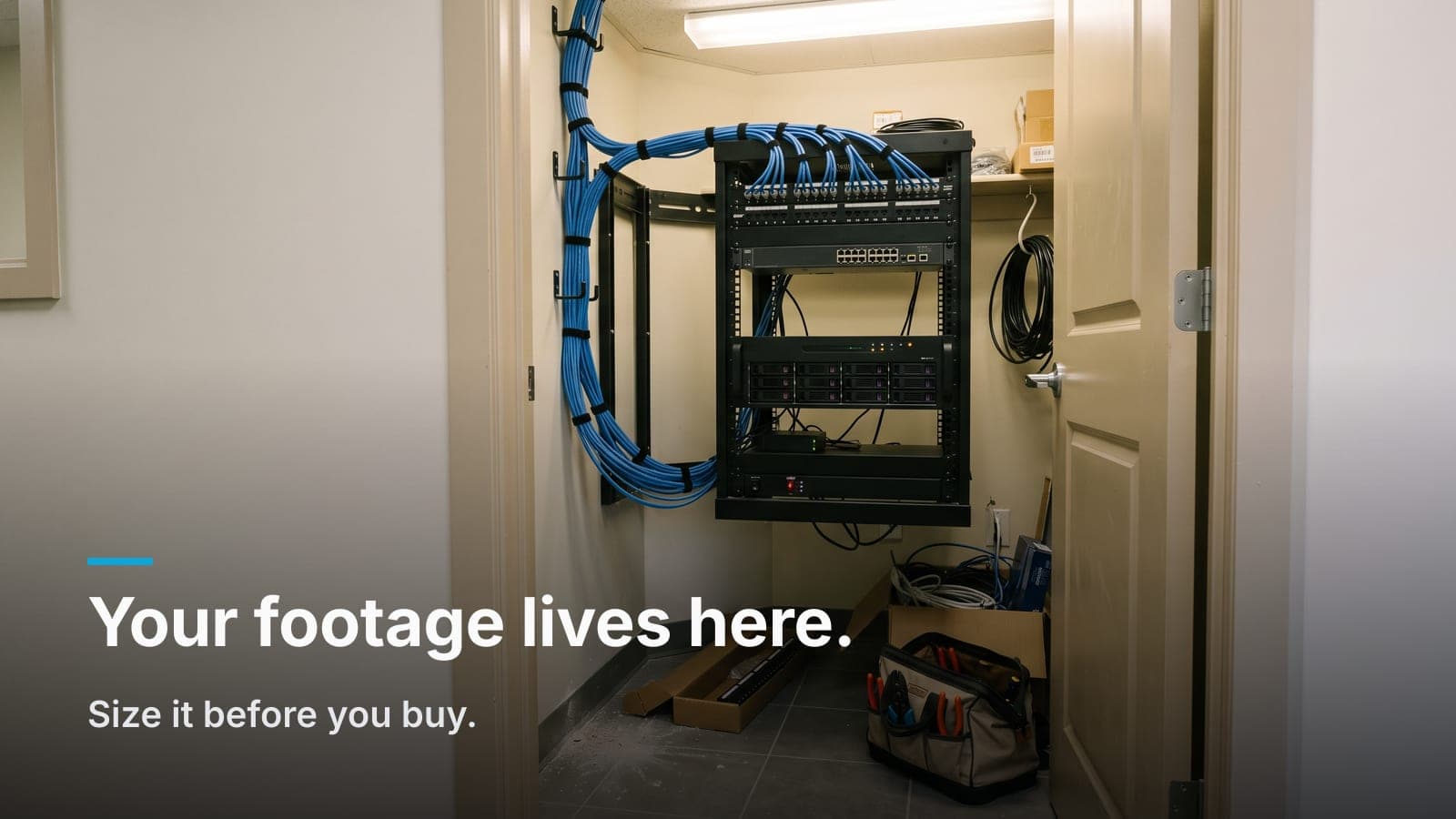
An NVR (or an NVR appliance like a UniFi Protect console) is a box with hard drives sitting in your IDF closet, recording from cameras on your own LAN. Nothing about normal recording touches the internet.
Retention you control. Want 60 days instead of 30? Add drives. No plan change, no per-camera math, no calling a rep. On the systems we build, that's a screwdriver and twenty minutes.
No recording bandwidth. This is the part people underestimate. A 24-camera system pushing 4MP video is moving serious traffic. But it's moving it across a switch, not your ISP link. Your internet only carries traffic when someone actually watches a live view or exports a clip. On an older Nampa warehouse with a mediocre DSL-era connection, that difference is the whole ballgame.
One-time cost, hardware you own. Buy the recorder, buy the drives, done. Drives are consumables: surveillance-rated drives run continuously and you should expect to replace them somewhere in the three-to-six-year range. That's a real cost, just a small one.
The obvious weakness: the recorder is a physical object in your building. If a burglar knows where the closet is, or the building burns, your footage burns with it. That's not hypothetical; it's the single best argument for putting something off site.
What cloud storage actually gives you
Cloud platforms (Verkada, Rhombus, and the cloud tiers of most manufacturers) upload footage to a data center. The camera usually buffers locally on an SD card and syncs up.
Off site by default. Someone rips the camera off the wall, and the footage up to that second is already gone from the building. For jewelry, pharmacy, high-value retail, cash-heavy operations. That's worth real money.
Nothing to maintain in the closet. No recorder, no RAID, no drive swaps. For a company with 14 locations and no IT staff, that's a legitimate operational win, and I'll say so to a customer's face even though it's not what we sell most of the time.
Multi-site is genuinely easier. One console, all sites, users managed centrally. Doing that well with local recorders takes more design work.
The costs:
- Per-camera subscription, permanently. Every camera is a line item every year. Add cameras, the bill goes up. Stop paying, most platforms stop retaining, and some cameras stop being useful entirely.
- Retention is a tier, not a dial. You buy 30, 60, 90 days. Want more on just the two cameras that matter? Sometimes possible, often not, and the price step is real.
- Upload bandwidth. Which deserves its own section, because it's where projects go sideways.
I wrote a longer piece on the platform-level tradeoffs (subscriptions, ownership, what you're really buying) in UniFi Protect vs. cloud-subscription cameras. This post is the storage layer underneath that decision.
The upload math nobody runs before signing
Here's the calculation I do on a napkin during site walks.
A 4MP camera recording H.265 at a moderate bitrate lands somewhere around 2–4 Mbps in continuous recording, more if the scene is busy (a parking lot with wind-blown trees and traffic is far more expensive than a stockroom door). Motion-only or event-based recording drops the average a lot, but the peaks are what break things, and peaks happen at 8am when everyone arrives, which is also when your staff needs the internet.
So:
- 8 cameras → roughly 16–32 Mbps sustained upload
- 16 cameras → roughly 32–64 Mbps
- 32 cameras → 65–130 Mbps, and now we're talking about a fiber upgrade
Then check what you actually have. A lot of Treasure Valley small commercial spaces are on cable service with 20–40 Mbps upload. Fiber's common in newer Meridian and Eagle buildings, and it's fine. But an older Garden City shop building on cable, with 12 cameras and a cloud plan, will have a bad time, and the symptom won't be "cloud is slow," it'll be "our VoIP phones are choppy" and "the credit card terminal keeps timing out." Cameras are a quiet, constant tenant on your uplink.
If you go cloud, do two things: verify your upload speed (not the download number in the ad), and have your network set up to give cameras a lower priority than business traffic. That's a config, not a hope.
Retention math for local storage
Local storage math is easier because it's just multiplication. Rough rule of thumb:
Storage per camera per day ≈ bitrate (Mbps) × 10.8 = GB/day
So a 4MP camera at 3 Mbps burns about 32 GB per day. Round to 30 GB/day for planning.
| Cameras | ~30 days | ~60 days | ~90 days |
|---|---|---|---|
| 8 | ~7 TB | ~14 TB | ~22 TB |
| 16 | ~14 TB | ~29 TB | ~43 TB |
| 24 | ~22 TB | ~43 TB | ~65 TB |
| 32 | ~29 TB | ~58 TB | ~86 TB |
Numbers are ballpark for continuous 4MP recording. Things that move them:
- Motion/event recording can cut usage substantially in low-traffic areas. In a busy warehouse aisle, it saves you almost nothing.
- 8MP (4K) roughly doubles the storage of 4MP. Use it where you need plate or face detail, not everywhere. I'd rather have a well-placed 4MP camera than a badly aimed 4K one.
- Frame rate. Dropping from 30fps to 15fps on interior cameras is nearly invisible for forensic review and saves meaningful space. Keep the higher rate on registers and drive lanes.
- Scene complexity. Variable-bitrate encoding means a static stockroom uses a fraction of what a windy parking lot uses.
Then size the box: buy the drive capacity for your target retention, plus about 20–30% headroom. Systems always grow. Someone always adds four cameras. And when a recorder runs at 100% constantly, you have no margin to raise quality on one camera without silently shortening retention everywhere else.
Video retention requirements: check before you size
Thirty days is the default I spec when nobody has a rule. But plenty of businesses do have a rule:
- Insurance. Some commercial policies specify a minimum retention period. Read the policy or ask your agent. This is a five-minute email that has saved customers real grief.
- Regulated industries. If your business answers to a regulator, check with that regulator about surveillance retention. Don't rely on your integrator or a blog post for that answer.
- Healthcare and schools. Usually driven by internal policy and legal counsel rather than a single statute, but the policies tend to be longer than 30 days.
- HR and liability reality. Slip-and-fall claims and employment disputes often surface 30–60 days after the event. If your retention is 14 days, you find out the hard way.
Whatever the number is, write it down before anyone picks a recorder. Retention drives storage, storage drives cost, and finding out at commissioning that you needed 90 days is an expensive re-do.
The hybrid I recommend most
For most commercial buildings in the valley, this is the sweet spot:
- Full retention on a local recorder: 30 to 60 days, every camera, no bandwidth cost.
- Off-site copies of three to six critical views only: main entry, register or cash handling, safe or server room, back door, loading dock. These are the cameras that matter in the incident where the recorder itself is the target.
- The recorder physically protected: locked IDF, not the back office shelf. Mount it in a secured rack, not on a desk under a monitor. Put a camera on the closet door.
- A UPS on the rack. Power blips are common. A recorder that reboots mid-write is a recorder that eventually corrupts a volume.
- Alerting when something stops recording. A dead camera or a failed drive is only discovered when you need footage, unless the system tells you sooner. Turn on the notifications; assign them to a person, not to "info@."
That off-site piece can be a manufacturer cloud tier on a few cameras, an on-premises backup at a second location you own, or scheduled clip exports to your existing file storage. It doesn't have to be fancy. It has to exist somewhere other than the building the cameras are watching.
Where I land, and where I don't
We build mostly on UniFi Protect, so our default is a local console with drives sized to the customer's retention target, cameras on their own VLAN, and no per-camera fees. For an office in Boise, a church in Kuna, a warehouse in Caldwell (customers who want to own the hardware and not carry a growing subscription) that's the right answer, and it's the camera work we do most.
Where cloud wins:
- Many small sites, no IT staff. Fifteen locations, four cameras each, one person managing it all. Cloud's central management is worth the fee.
- High theft risk where the recorder is the target. If someone's likely to go for your equipment closet, off-site-first is the safer architecture.
- Organizations that genuinely prefer opex. Some finance departments would rather have a predictable monthly line than a capital purchase. That's a legitimate business reason, not a technical one.
- Zero appetite for maintenance. If nobody will ever swap a drive or check an alert, the subscription buys you someone who will.
What I don't like is either choice made by default. A cloud plan signed without checking upload speed. An NVR sized to "whatever comes with it" without asking how many days the business actually needs. Both are avoidable with one conversation and ten minutes of arithmetic.
One more thing that lands underneath all of it: the network. Cameras are only as reliable as the cable and switching feeding them, and I've seen more retention problems caused by a marginal run or an undersized switch than by drives. If you're building new, get the pathways and drops right at rough-in and the storage decision gets a lot easier.
Frequently asked questions
Can I add cloud backup to an NVR system I already have?
Usually yes, in some form. Many recorders support exporting or mirroring selected cameras to a cloud or remote target, and some manufacturers sell an add-on tier for exactly that. If yours doesn't, scheduled clip exports of your critical views to existing company file storage is a low-tech version that works.
How long do NVR hard drives last, and will I know if one fails?
Surveillance-rated drives typically run three to six years under continuous write load. Whether you'll know depends on setup. Most modern systems can email or push a notification on drive health warnings, but somebody has to enable it and point it at a real person.
Does RAID mean I don't need off-site copies?
No. RAID protects against a drive dying; it does nothing about theft, fire, or someone unplugging the box. RAID is uptime insurance, not disaster insurance.
Will recording locally slow down my office network?
Not if the system is designed right. Camera traffic should live on its own VLAN with adequate switch capacity and PoE budget, and it stays between the cameras and the recorder. It never touches your internet link. On a flat, undersized network, though, it absolutely can cause problems.
What resolution should I record at to balance detail and storage?
For most interior coverage, 4MP at 15fps is the practical sweet spot. Save 4K and higher frame rates for the handful of views where you need to read a plate, a face, or hands at a register, and mount those cameras at the right height and angle, or the resolution won't save you.
If you want the real numbers for your building (camera count, retention target, and what your upload can actually handle) request a site walk and we'll put it in a fixed quote.