Why Security Cameras Fail Exactly When You Need Them (and a 15-Minute Quarterly Checklist)
· Erik Short
Quick answers
Why do security cameras stop recording without anyone noticing? Almost always a failed hard drive, a camera unplugged during other work, or a network change, and nothing in the building tells you, because nobody set up health alerts.
How often should security cameras be maintained? A 15-minute walkthrough once a quarter catches most problems; a deeper check by your integrator once a year covers firmware, storage health, and lens cleaning.
How do I know if my camera system is actually recording? Pull up yesterday's footage at 2 a.m. from three different cameras. Live view proves nothing: plenty of dead systems show a perfect live picture.
Why does footage timestamp accuracy matter? If your recorder's clock has drifted, your video may not line up with door logs, POS records, or a police report, and it gets harder to use as evidence.
What's the single most common failure we find? A drive that failed months ago and never alarmed, so the system kept "running" while overwriting nothing.
Here's the pattern. Something happens: a break-in, a slip-and-fall, a forklift into a rack, an employee dispute. Somebody walks into the office and says "pull the video."
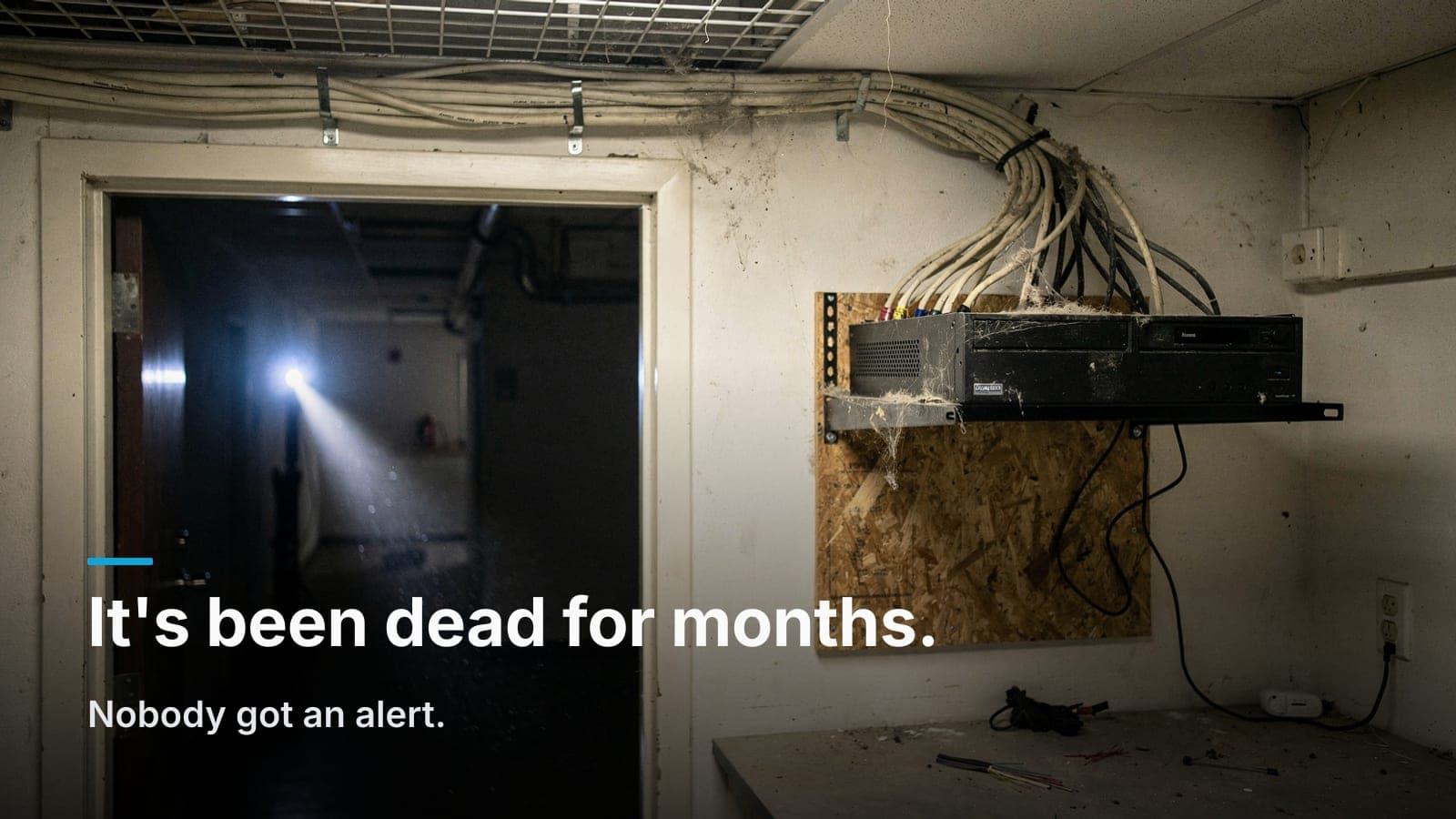
The office manager opens the app. Live view looks fine. Then they scrub back to Tuesday and there's nothing there. Not corrupted, not overwritten: nothing. The last recorded frame is from four months ago.
Nobody did anything wrong, exactly. That's what makes this so common. Camera systems don't fail loudly. They fail the way a smoke detector with a dead battery fails: silently, until the day it matters.
I've been in enough closets in Boise, Meridian, and Nampa to say this with confidence. Most of the systems I get called out to "fix" after an incident weren't broken that week. They'd been broken for a season.
The failures, ranked by how often I actually find them
1. The hard drive died and nothing said a word
This is number one by a wide margin. Surveillance drives run 24/7, writing constantly, often in a closet that's ten degrees warmer than the rest of the building. They wear out. That's normal and expected.
What isn't normal is that on a lot of systems, especially older DVR/NVR boxes, a failed drive produces a beep nobody hears, a red icon nobody looks at, and zero notification to a human being. The unit stays powered, the cameras stay live, the interface looks alive. It just isn't writing anything.
Related version of the same problem: the drive is fine but the recording schedule got changed, or motion detection got tightened by someone trying to reduce storage use, and now it only records a fraction of what you think it does.
The fix is not technical, it's procedural. Someone has to look at retention on purpose, on a schedule. And if your system supports email or push alerts on drive health and disconnected cameras, those need to be turned on and pointed at a person who still works there. I find a lot of alert addresses belonging to a manager who left long ago.
2. A "temporary" unplug that became permanent
The electrician needed the outlet. The IT contractor needed a port on the switch. Somebody was chasing a network issue and pulled a cable to test something. A PoE injector got repurposed for a printer.
Every one of those is a five-second decision that takes a camera offline for a year. Nobody's being careless: they just don't know that the little black cable behind the rack is the only thing feeding the camera over the shipping door.
Warehouses and retail spaces are the worst for this because the camera drops are often the last thing anyone documents. If your patch panel isn't labeled, the odds of somebody borrowing your camera port go way up. Labeling is cheap insurance, and it's one of the things that separates a real structured cabling job from a pile of cable in a closet.
3. Clock drift that quietly poisons your timestamps
Recorders that aren't syncing to a time server drift. Not dramatically, but drift adds up over months without NTP. Eventually your video can be many minutes off real time.
That doesn't sound like much until you're trying to match footage to a badge swipe, a transaction receipt, or a 911 call log. Now the video that shows the guy walking out the back door is stamped 4:41 when the door log says 5:03, and you're the one explaining the discrepancy.
Also common: the recorder never got moved off UTC, or it's stuck an hour off because daylight saving handling was broken in the firmware. Same result.
Check: compare the recorder's timestamp against your phone. If it's off by more than a few seconds, get NTP configured. Every modern system supports it; a lot of installs just never had it enabled.
4. Spiders, dust, and IR bounce
Idaho spiders love camera housings. They love the warmth, and they love the bugs the IR light attracts. A single web across the lens turns your night video into a white glowing smear, and motion detection goes berserk, which either buries you in false alerts or, worse, causes someone to turn motion recording off entirely.
The other physical killers I find on quarterly checks:
- Dust film on the dome bubble. Diffuses IR at night. The daytime image looks fine, so nobody suspects it.
- IR glare off a nearby wall, soffit, or the dome itself. Usually from a dome mounted tight into a corner or under an eave. Looks perfect in daylight, useless at night.
- Spiderweb false triggers that trained the staff to ignore alerts. Once people ignore alerts, the whole system's value drops.
- Sun-faded or fogged domes on cameras mounted in full southern exposure. Five to seven years is a realistic life on an outdoor dome in this valley.
- Cameras knocked out of aim by a ladder, a pallet jack, or a roof crew. Now you're recording the parking lot's neighbor.
A microfiber cloth and a can of compressed air fix most of this in about a minute per camera. It's the least technical item on the list and it delivers more real-world value than anything else you'll do.
5. Firmware nobody has touched since the day of install
Two ways this bites you. First, security: internet-exposed recorders with years-old firmware are a genuine risk, and I've seen cameras used as a foothold onto a business network. Second, stability: some of the "the app won't connect anymore" calls I get are a phone OS update outrunning a recorder that hasn't been patched in three years.
I'm not going to tell you to blindly click update on a production system at 4 p.m. on a Friday. Firmware updates can break things too. But an annual, scheduled, backed-up update pass is the right answer, not "never."
6. The network changed underneath the cameras
New ISP. New router. New VLAN scheme from an IT vendor. Someone put in a mesh Wi-Fi system and the old switch got pulled.
Cameras usually keep recording locally when this happens, which is good, but remote access breaks, alerts stop going out, and the system slides into that silent-failure state where it looks alive and nobody's watching. If your cameras and your business data share a flat network, changes on one side hit the other. Camera traffic really belongs on its own VLAN, which also keeps that traffic from stepping on the rest of your bandwidth. If your network's already fighting you, that's a separate conversation worth having.
7. Power events
A summer thunderstorm brownout, a construction crew tripping a breaker, an aging UPS whose battery gave out. Most recorders come back up on their own. Some don't: they sit at a boot screen, or come up with the recording service stopped. Cameras on a PoE switch without battery backup blink out during every flicker.
If the recorder is on a UPS but the PoE switch isn't, you have a system that stays awake to record nothing.
The quarterly 15-minute checklist
Print this. Give it to whoever handles facilities. No integrator required, no ladder required for most of it.
1. Pull actual footage, don't just look at live view. (3 minutes) Pick three cameras: one indoor, one outdoor, one at your most important door. Scrub to 2:00 a.m. yesterday. Confirm you see recorded video from each. This one step catches the majority of dead systems.
2. Check the timestamp. (30 seconds) Compare the recorder or app clock to your phone. More than a minute off, flag it.
3. Confirm every camera is online. (2 minutes) Count the tiles. Does the number match the number of cameras you paid for? Write the count somewhere. If it was 14 last quarter and it's 13 now, you just found your problem, and you found it in October instead of the day after a burglary.
4. Check retention. (1 minute) Find the oldest recorded footage on the system. Is it 30 days back? 60? Whatever your policy is, does the system still meet it? Retention silently shrinking is an early symptom of a drive going bad or a camera being added without storage being sized for it.
5. Look at every camera's night image. (4 minutes) Do this at night, or view last night's recording. Look for white haze, glare blooms, webs, and blur. Daytime looks fine on almost everything; night is where you find the problems.
6. Eyeball the closet. (2 minutes) Is the recorder's drive light active? Are the fans running and audible? Is it hot in there? Is anything unplugged, or is a strange new device plugged into your switch? Is there a UPS, and is it showing a fault light?
7. Confirm alerts go to a live human. (2 minutes) Check the notification email addresses and app users in the system. Remove ex-employees. Add current ones. Send a test.
Fifteen minutes, four times a year. That's an hour annually to keep the thing you already paid for actually working.
What still needs a professional
The checklist above catches the silent failures. It doesn't cover:
- Physical cleaning of high-mounted or exterior cameras: that's ladder or lift work and often a two-person job.
- Aim and focus verification against your actual coverage goals. If cameras were mounted too high to identify a face, cleaning them doesn't help. That's a design issue, and it's the most common camera problem we get called in to fix.
- Drive health metrics. SMART data will usually tell you a drive is dying weeks before it does. Somebody has to read it.
- Firmware and security updates, done with a backup and a rollback plan.
- Storage sizing as you add cameras or bump resolution.
- Verified evidence export: knowing you can produce a clean, timestamped clip in a format law enforcement or your insurer will accept, before the day you need it. Practice this once. It's never as obvious as it looks.
Why a service relationship beats a break-fix panic call
On the business side, the reason I push maintenance agreements isn't that they're lucrative. It's that the emergency call after an incident is the worst possible version of my job. The customer is upset, the footage is gone, and there's nothing I can do to bring back video that was never written. I get to charge for a service call and deliver bad news.
An annual or semiannual service visit gets you a lens cleaning pass, drive health check, firmware review, aim verification, retention audit, and a written report saying the system does what you think it does. It costs a fraction of the value of one piece of footage you actually needed.
There's also a platform angle here. Some cloud-subscription camera platforms (Verkada, Rhombus and similar) handle a chunk of this automatically. Firmware updates push themselves, offline cameras generate alerts, and drive management largely goes away because the video lives elsewhere. If your organization has nobody who will ever look at a checklist, that recurring fee buys you something real. We lay out both sides in UniFi Protect versus subscription cameras.
Whatever platform you pick, good alerting only works if a real person's phone is on the other end of it. That's the part no vendor can sell you. Somebody in your building has to care once a quarter.
Frequently asked questions
How long do commercial security cameras last?
Plan on seven to ten years for the cameras themselves in a climate-controlled interior, and five to seven for outdoor units in full sun. Recorder hard drives are the shorter clock. Three to five years of continuous writing is a realistic replacement window, and it's smart to swap them before they fail rather than after.
Can I check whether my cameras are recording without calling my installer?
Yes, and you should. Open the app or recorder interface, scrub back to a specific time yesterday, and confirm you see video. If your app doesn't let you do that, that itself is worth a conversation with whoever installed it.
How much video retention do I actually need?
Thirty days covers most businesses. Go to sixty or ninety if you're in healthcare or another regulated industry (check with your regulator), or if incidents at your site tend to surface late; property damage and internal theft often aren't discovered for weeks. Where that video lives changes the math too; we broke down on-site NVR versus cloud storage here.
My camera system was installed by a company that's out of business. Can it be serviced?
Usually, yes, if it's a mainstream platform and we can get admin credentials or reset the recorder. What's often not recoverable is a proprietary or off-brand system with locked firmware and no support path. A site walk will tell you quickly whether it's worth maintaining or worth replacing.
Does maintenance matter as much for a cloud camera system?
Less, but not zero. The vendor handles firmware and storage, but nobody at the vendor is cleaning the spiderweb off your loading dock lens, straightening a camera a ladder knocked sideways, or noticing that your parking lot camera has been aimed at the sky since the roof job. Physical checks still fall to you.
What's the fastest way to know if my system is worth keeping?
Try to export a clean 90-second clip from last week with a visible, correct timestamp. If you can do that in under ten minutes, your system is doing its job. If you can't, you've found your project.
If you'd rather someone else run the checklist (or you just want to know whether the system you inherited actually works) we do site walks and fixed quotes across the Treasure Valley; get in touch here.