Getting Outdoor Security Cameras Ready for an Idaho Winter
· Erik Short
Quick answers
Why does my outdoor camera fog up in winter? Bad or aging gaskets let humid air into the housing, and when the temperature drops that moisture condenses on the inside of the lens or dome cover.
Why does my camera's night vision look washed out when it snows? Falling or settled snow reflects infrared light straight back into the lens, the same way high beams bounce off fog, so the image blooms out white.
Can cold weather actually break a camera cable? Yes. Cheap jacketing gets stiff in the cold, and a cable that was dressed with a tight bend last summer can crack its jacket or separate a conductor the first time it cold-soaks overnight.
Do outdoor cameras need heaters in Boise? Most fixed cameras handle our winters fine without one, but heater-equipped housings earn their keep on north-facing exposures, high-wind sites, and anywhere ice has formed on the dome before.
How often should outdoor cameras get checked before winter? Once a year, right before the first hard freeze, is enough if you actually do it — a 15-minute walk per camera catches almost everything on this list.
What winter actually does to a camera system
Treasure Valley winters aren't brutal compared to a lot of places, but they're exactly the kind of winter that exposes a cheap install. We get hard freezes, inversion fog, wet snow that turns to ice, and enough wind funneling off the foothills to put real load on a mount. None of that is dramatic on its own. It's the combination, repeated every night for three months, that finds every weak point in a camera system.
Here's what actually happens out there, camera by camera.
Condensation inside the housing
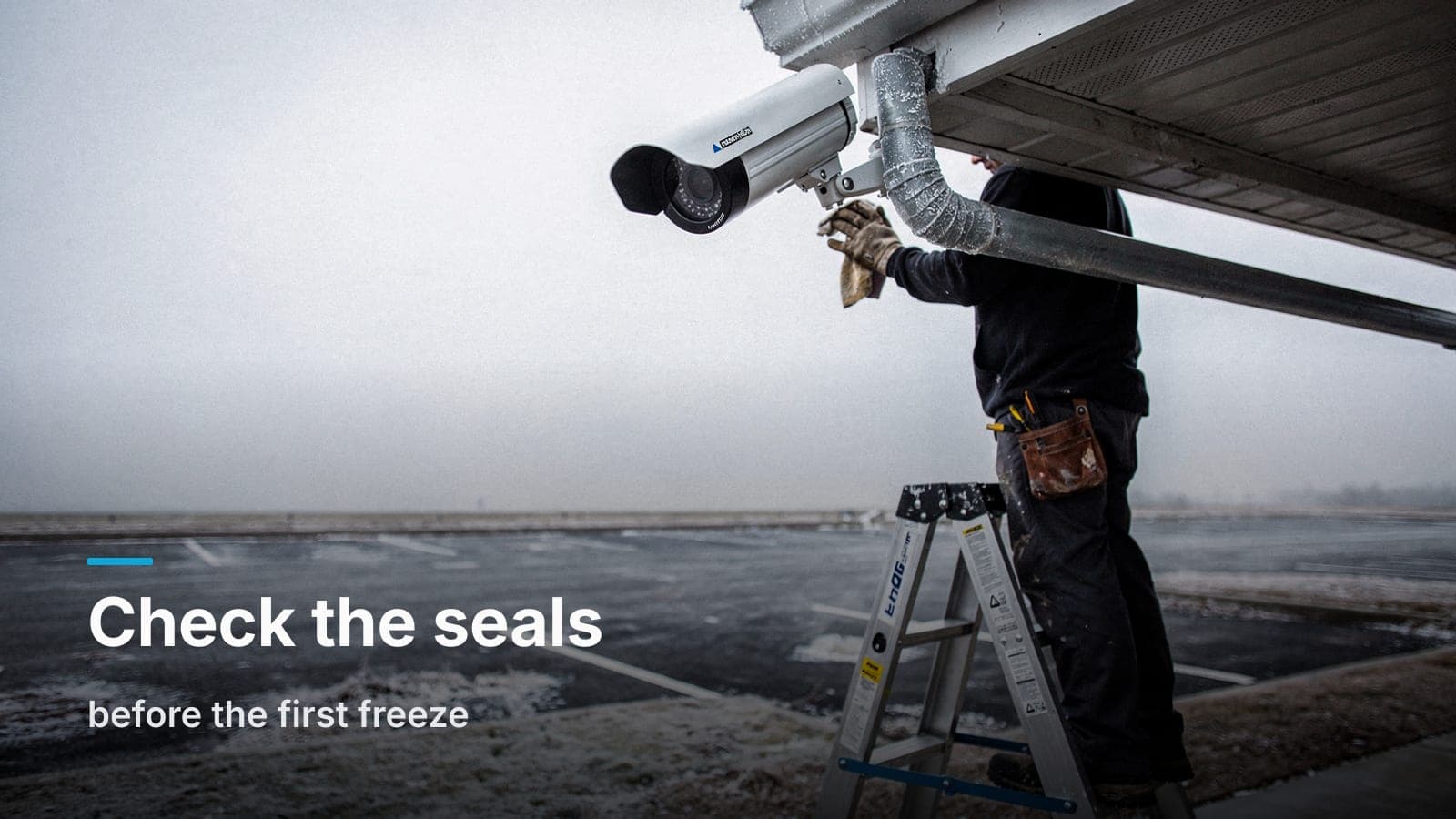
Every camera housing breathes a little — it has to, or pressure changes would stress the seal every time the weather shifts. The gasket and any vent plug are what control that breathing. When the gasket is cracked, missing, or was never seated right at install, humid air gets pulled in during the day and then the camera cold-soaks overnight. That moisture condenses on the inside of the dome or lens, and by morning you've got fog, water droplets, or a milky image that doesn't clear until afternoon sun warms the housing back up.
This is the single most common cold-weather camera complaint we hear, and it's almost always a seal problem, not a camera problem. A camera with a bad gasket will fog every cold night; a camera with a good one won't fog at all.
IR glare off snow and fog
Infrared illuminators light up whatever's close to the lens before they light up anything useful. On a clear night that's not an issue. During a snowfall, every flake drifting past the lens bounces the IR straight back, and the image blooms into a washed-out white mess with nothing identifiable behind it. The same thing happens with dense fog, which Boise gets plenty of in December and January.
Most of this is fixable in software — dialing back IR intensity, adjusting smart IR behavior, or in some cases relying more on the camera's visible-light sensitivity and scene lighting instead of cranking the infrared to max. It's a setup problem, and it's one we check during commissioning precisely because it only shows up once the weather turns, after the installer's already gone.
Ice skinning the dome cover
A light freeze-thaw cycle overnight can leave a thin skin of ice directly on a dome camera's cover, especially on units mounted where runoff or drip from an eave lands on the housing. Even a thin layer scatters the image into blur. Bullet cameras with a flat window in a shaded, drip-free location dodge this better than domes mounted where water collects right on the lens.
If a specific camera ices over every single cold snap, that's a placement and drip-path problem more than a camera problem — worth mapping during the pre-winter check, not during the next storm when you actually need the footage.
Cold-soaked cable cracking at the bend
Cable jacket gets stiffer as it gets colder. A drip loop or bend that was dressed loosely in July has some slack to give; the same bend cold-soaked at 15°F has almost none, and that's when a jacket splits or a conductor fatigues at the stress point. This shows up months later as a camera that drops offline intermittently, usually blamed on the network before anyone looks at the cable itself.
The fix is in the install, not the weather: proper drip loops at the housing, no tight 90-degree bends right where the cable meets conduit, and enough slack built in that cold stiffness doesn't turn a gentle curve into a crease. If you're dealing with an older system where the cabling was never dressed well to begin with, it's worth a look at our low-voltage rough-in checklist for what a clean install is supposed to look like from the start.
Wind loading on the mount
Treasure Valley doesn't get coastal-storm wind, but foothill gusts are real, and a camera on a flimsy mount or a loose gang box will develop a wobble over a season of gusting. A wobbling camera doesn't just look bad in the feed — it defeats motion detection zones, blurs plates and faces at the exact moment you need a clean frame, and loosens cable connections over time. Mounts rated for the exposure, torqued down properly, with the arm length kept short, handle wind that would slowly walk a bargain mount loose.
The pre-winter check anyone can run
You don't need to be an integrator to catch most of this before the first hard freeze. Fifteen minutes per camera:
- Look at the gasket. If you can see daylight through a seam, or the rubber's cracked and stiff, it's not sealing anymore.
- Check for fog or haze on a cold morning. If a camera fogs at dawn and clears by 10am, that's a seal issue, not a camera defect.
- Flex-test the cable near the housing, gently. Stiff, cracked jacket at a bend point is a failure waiting for the next cold snap.
- Grab the housing and check for play. Any wobble at the mount or arm means hardware has backed out or the mount wasn't rated for the exposure.
- Watch one night clip during light snow or fog. If IR bloom is washing out the image, that's a settings fix, often a quick one.
- Trace the drip path. Water that lands directly on a dome cover will ice there first — confirm nothing's draining onto the lens.
If most of your cameras pass, you're in good shape for the season. If the same camera keeps coming up on this list year after year, that's usually a sign it was never sealed, mounted, or dressed correctly to begin with, and it's worth fixing at the root instead of babysitting it every winter. It's also a good moment to revisit camera placement generally — a camera fighting winter glare in a spot that was marginal in July often turns out to be one of the placement mistakes we find during site walks.
What heater-equipped housings and proper setup fix for good
A few things are worth doing once, correctly, instead of managing every winter:
- Heater-equipped housings on north-facing exposures, high-wind corners, or any camera with a documented history of icing. They draw more power, which matters for PoE budget planning on a switch that's already near capacity — something we cover in more detail in our PoE budget post — but they end the condensation and ice problem outright rather than just managing it.
- Correctly dressed drip loops and cable slack at every outdoor termination, sized for cold-weather stiffness, not just summer flexibility.
- IR and exposure settings tuned for the site, not left on factory defaults, so the first snowfall doesn't blow out the image.
- Mounts rated for actual wind exposure, with hardware torqued and rechecked, not just whatever shipped in the box.
None of this is exotic. It's the difference between an install done for a photo on a dry afternoon and one done to survive a season it'll actually see. If your system's been acting up every winter and you're tired of it, a site walk will tell you in about twenty minutes whether you're looking at a seal, a setting, or a mount — and what it actually takes to fix it for good.
Frequently asked questions
Can I just spray WD-40 or silicone on a camera gasket to fix condensation?
Not for long. A sprayed-on sealant might buy you a few weeks, but a degraded gasket needs to be replaced — otherwise the housing keeps breathing moist air every time the temperature cycles.
Does snow or ice void a camera's outdoor rating?
No, most commercial outdoor cameras are rated for a wide temperature range and for rain and snow exposure. Problems come from installation details — seals, mounting, cable dressing — not from the camera failing to meet its own rating.
Will a heater housing run up my power costs noticeably?
It adds real but modest load per camera, closer to what a space heater draws in miniature. The bigger practical concern is whether your PoE switch has budget to spare for it, which is worth checking before winter, not during a cold snap.
Should I switch to cameras with better low-light performance instead of relying on IR?
It helps. Cameras with stronger low-light sensors can lean less on infrared and more on ambient and site lighting, which usually handles falling snow and fog better than maxed-out IR does. It's a conversation worth having if glare's been a recurring problem.
How do I know if a dead or flaky camera is a winter issue or something else?
If it correlates with cold snaps or precipitation, start with seals, cable bends, and mount hardware. If it's unrelated to weather, it's more likely a network or power issue — our guide to cameras failing when you need them most walks through that side of it.
If your cameras have a history of fogging, icing, or dropping out every winter, request a site walk and we'll tell you straight whether it's a seal, a setting, or a mount — and what it takes to fix it for good.